
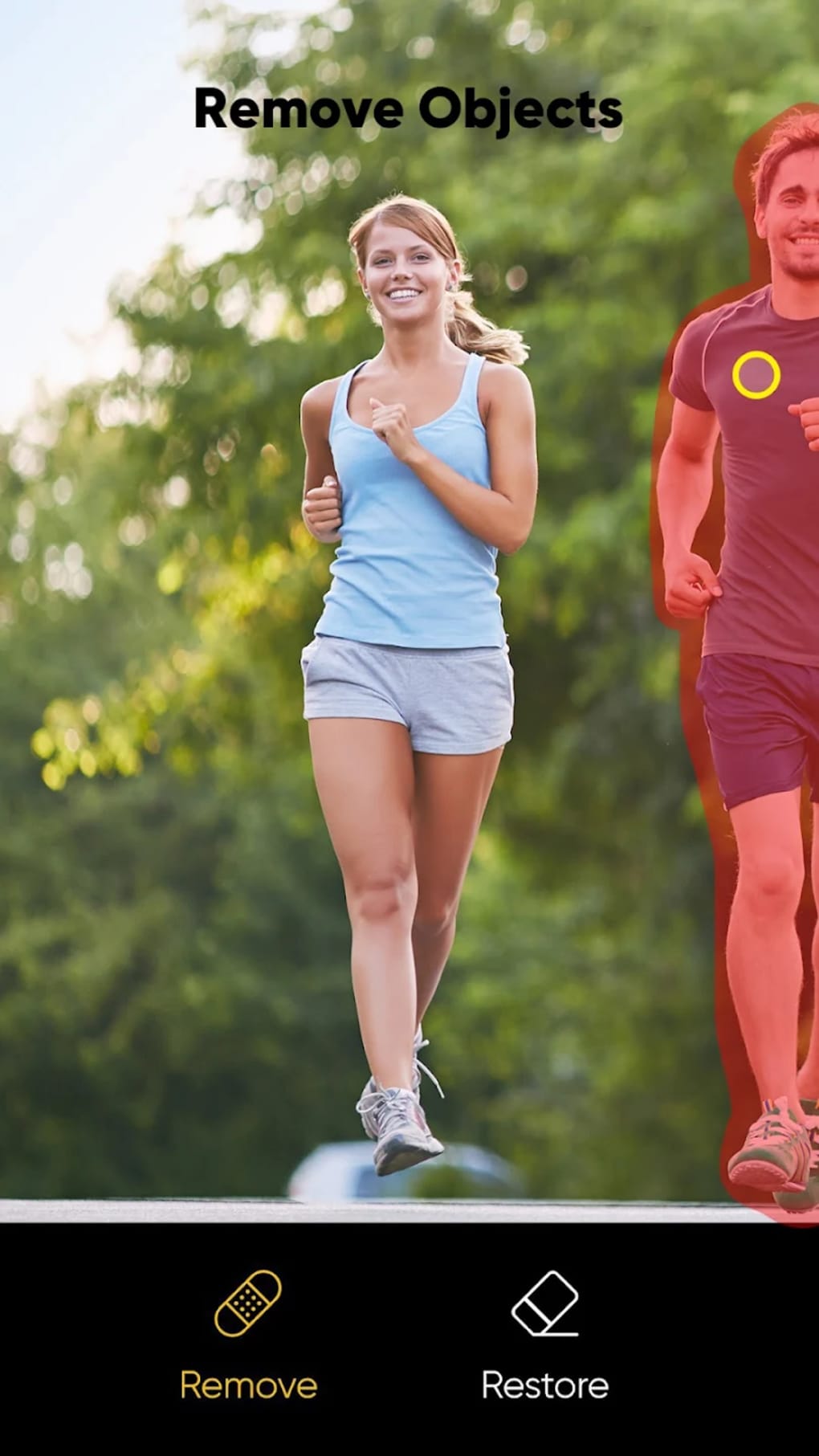



Download Erase Background Remover BG APK – Photo Editor, Background Remover, Free Tool, Multimedia App
Overview
Erase Background: Remover BG is a free multimedia application designed to simplify the process of removing backgrounds from digital photographs. As its name implies, the software focuses on one core task: isolating the subject of an image from its background with minimal user input. The tool is particularly useful for users who need to create clean, transparent images for use in digital design, social media, or e-commerce platforms. It is developed by Arcade Legendary, a company that appears to specialize in lightweight, utility-driven mobile applications.
The primary use case involves uploading a photo and applying a single command to automatically remove the background. This functionality appeals to casual users, content creators, and small business owners who require quick image edits without advanced editing skills. However, the app does not support selective background removal or manual editing of the subject’s edges, limiting control over the final output. The lack of advanced editing features means users must rely on external tools for adjustments such as brightness, contrast, or cropping.
Given that the software is distributed via APK file and not available on official app marketplaces, users must download it from third-party websites. This raises concerns about security and authenticity, especially since the app may be modified or bundled with unwanted software. The developer did not provide additional system requirements or performance specifications, so users should exercise caution when installing the application.
Key Features & Capabilities
- One-Click Background Removal – Users can upload a photo and instantly remove the background with a single tap, streamlining the editing process for beginners.
- Background Replacement Options – After removal, users can replace the background with solid colors, custom images, or preloaded patterns, enabling creative flexibility.
- Simple Image Upload Interface – The app features a clean, minimal interface that allows for quick access to the core editing function without navigating complex menus.
- Export to Device Storage – Edited images can be saved directly to the device, making it easy to use them in other applications or share across platforms.
- Free to Use – No subscription or in-app purchase is required to access the core background removal functionality.
These features make the app suitable for quick edits, such as preparing product images for online listings or creating profile pictures with custom backgrounds. However, the absence of manual edge refinement or layer-based editing limits its utility for professional-grade work. The app’s reliance on automated algorithms means results may vary depending on image complexity, lighting, or subject detail.
User Interface, Workflow & Performance
The user interface of Erase Background: Remover BG is described as sleek and simple, with minimal visual clutter. Navigation is straightforward, focusing on a single primary action: uploading an image and initiating background removal. The workflow is designed for speed, requiring no technical knowledge or prior editing experience.
Despite the clean layout, the app is reported to display a large number of obstructive ads that appear after every action, including button clicks and background changes. These ads often lack visible close buttons or are positioned in inconvenient areas of the screen, disrupting the editing process. The developer did not specify resource usage details, so performance behavior under different conditions remains unknown. General software behavior suggests that background removal may require moderate processing power, especially with high-resolution images.
Stability and responsiveness are not documented in the provided information. Users may encounter delays during image processing or unexpected crashes, particularly on lower-end devices. The absence of feedback mechanisms for failed operations or processing errors further reduces usability. Overall, the user experience is compromised by intrusive advertising and limited control over the editing process.
Compatibility & System Requirements
Erase Background: Remover BG is available as an APK file, indicating it is designed for Android devices. The specific operating system version and hardware requirements were not listed by the developer. As such, compatibility information is limited to general Android support, but exact device compatibility cannot be confirmed.
The installation size of the APK file is not specified. Users should expect the app to require a moderate amount of storage space, typical for multimedia applications with image processing capabilities. The developer did not provide details on CPU, RAM, or GPU usage, so performance expectations must be based on general assumptions rather than verified data.
Due to the APK distribution method, users must enable installation from unknown sources in their device settings. This increases the risk of security vulnerabilities, especially when downloading from untrusted third-party websites. The app’s absence from official app stores also means it has not undergone formal review or certification processes.
Pros and Cons
Pros
- Simple, one-click background removal process
- Free to download and use without subscriptions
- Supports background replacement with colors, images, and patterns
- Minimal learning curve for beginners
- Quick export to device storage
Cons
- Limited to automatic background removal—no manual control
- Lacks basic editing tools such as crop, rotate, brightness, or sharpen
- High volume of intrusive, hard-to-close ads
- No official app store availability; distributed via APK only
- Unclear system requirements and performance behavior
FAQ Section
Is Erase Background: Remover BG available on Google Play Store?
No, the app is not available on the Google Play Store. Users must download the APK file directly from third-party websites.
Can I use this app without an internet connection?
Yes, the app functions offline once installed. However, some features may require online access depending on the implementation.
Is the app safe to download and install?
Due to the APK distribution method and lack of official app store verification, users should exercise caution. Downloading from untrusted sources may expose devices to malware or unauthorized software.
Does the app offer any editing tools besides background removal?
No, the app does not include basic editing tools such as crop, rotate, brightness adjustment, or sharpening. Users must edit images in other applications before using this tool.
What types of backgrounds can be removed?
The app uses automated algorithms to remove backgrounds. Results may vary based on image quality, lighting, and subject complexity. Complex or blurred backgrounds may not be removed accurately.
Final Thoughts + CTA
Erase Background: Remover BG offers a straightforward solution for users seeking a quick way to remove photo backgrounds without technical expertise. Its one-click functionality and free access make it appealing for casual users and those needing rapid image edits. However, the lack of essential editing tools, intrusive advertising, and absence from official app stores significantly impact its usability and reliability.
While the app may suffice for simple tasks, users requiring precision, control, or a clean editing experience should consider alternative tools. The absence of manual editing options and the risk associated with APK downloads limit its long-term value. For a more robust and secure experience, exploring other photo editing applications with better feature sets and verified distribution methods is recommended.
Download Erase Background Remover BG APK now and see if it meets your basic editing needs—just be mindful of the risks involved.






.png)
